# Deploying on HoloLens 2
**URL:** https://discourse.kitware.com/t/deploying-on-hololens-2/680
**Category:** Pulse Physiology Engine
**Created:** [July 19, 2021, 7:10pm UTC](https://discourse.kitware.com/t/deploying-on-hololens-2/680 "2021-07-19T19:10:19Z")
**Posts on this page:** 11
**Page:** 1
### Author:  [@juwon8](https://discourse.kitware.com/u/juwon8)
#### Post date: [July 19, 2021, 7:10pm UTC](https://discourse.kitware.com/t/deploying-on-hololens-2/680/1 "2021-07-19T19:10:19Z")
Hi,
Everything works fine when played in Unity, but the vital signs do not work when deployed and played in HoloLens 2.
Any ideas how to fix this?
Thanks.
---
### Author:  [@abray](https://discourse.kitware.com/u/abray)
#### Post date: [July 19, 2021, 7:28pm UTC](https://discourse.kitware.com/t/deploying-on-hololens-2/680/2 "2021-07-19T19:28:30Z")
Hmm
I lent out my hololens 2, so I cannot test it any time soon. But it’s just an Arm64 build. Maybe I made a simple mistake in building. Can you look at the unity and the Pulse log and see what error is provided? I am thinking it might be an unable to load dll error, or it cannot load the state file provided.
---
### Author:  [@juwon8](https://discourse.kitware.com/u/juwon8)
#### Post date: [July 19, 2021, 7:54pm UTC](https://discourse.kitware.com/t/deploying-on-hololens-2/680/3 "2021-07-19T19:54:44Z")
Hmm…
It does not show a log or an error. It just don’t show the vital sign graph on HoloLens 2.
---
### Author:  [@abray](https://discourse.kitware.com/u/abray)
#### Post date: [July 21, 2021, 12:38pm UTC](https://discourse.kitware.com/t/deploying-on-hololens-2/680/4 "2021-07-21T12:38:22Z")
Hi juwon
Sorry I droped this yesterday.
So Unity writes logs here: [Unity - Manual: Log Files](https://docs.unity3d.com/Manual/LogFiles.html)
See if there is something in your editor or application log
[Pulse also writes a log in the application data path](https://gitlab.kitware.com/physiology/unity/-/blob/master/Scripts/PulseEngineDriver.cs#L98)
You might also try wrapping [this allocation](https://gitlab.kitware.com/physiology/unity/-/blob/master/Scripts/PulseEngineDriver.cs#L101) in a try/catch to see if maybe you get an error about your application being unable to load the dll build for hololens
Is your application 64bit or 32bit?
---
### Author:  [@juwon8](https://discourse.kitware.com/u/juwon8)
#### Post date: [July 28, 2021, 6:22pm UTC](https://discourse.kitware.com/t/deploying-on-hololens-2/680/5 "2021-07-28T18:22:38Z")
I believe my application is built with 64bit.
---
### Author:  [@abray](https://discourse.kitware.com/u/abray)
#### Post date: [July 29, 2021, 12:16pm UTC](https://discourse.kitware.com/t/deploying-on-hololens-2/680/6 "2021-07-29T12:16:27Z")
Find anything in the logs?
---
### Author:  [@juwon8](https://discourse.kitware.com/u/juwon8)
#### Post date: [August 2, 2021, 6:28pm UTC](https://discourse.kitware.com/t/deploying-on-hololens-2/680/7 "2021-08-02T18:28:22Z")
I did not find any logs related to this problem…
---
### Author:  [@abray](https://discourse.kitware.com/u/abray)
#### Post date: [August 4, 2021, 12:10pm UTC](https://discourse.kitware.com/t/deploying-on-hololens-2/680/8 "2021-08-04T12:10:18Z")
Try putting a try/catch around this line
[https://gitlab.kitware.com/physiology/unity/-/blob/master/Scripts/PulseEngineDriver.cs#L101](https://gitlab.kitware.com/physiology/unity/-/blob/master/Scripts/PulseEngineDriver.cs#L101)
See if the new is successful or not
---
### Author:  [@Carla\_Mather](https://discourse.kitware.com/u/Carla_Mather)
#### Post date: [March 1, 2022, 9:28pm UTC](https://discourse.kitware.com/t/deploying-on-hololens-2/680/9 "2022-03-01T21:28:05Z")
Hi, I am working on a University medical project for the Special Forces and I am having related issues to the hololens. is there any quick videos you can show people trying to use pulse engine in unity built for hololens 2 with deployment? The issue here is that your program works right out of the box for unity and when playing in unity everything works great. Once you build and deploy for Hololens 2 the screen shows up but the data does not show readings. I have google searched this issue and it seems like there is an issue with the build not working in the hololens. Please let me know what I can do to fix this issue as its hard to follow the forms instructions.
---
### Author:  [@abray](https://discourse.kitware.com/u/abray)
#### Post date: [March 1, 2022, 10:04pm UTC](https://discourse.kitware.com/t/deploying-on-hololens-2/680/10 "2022-03-01T22:04:33Z")
OK
I believe we have a few hololens 2 units that I can test out. I will be updating the unity release very soon and will keep you posted
---
### Author:  [@abray](https://discourse.kitware.com/u/abray)
#### Post date: [March 24, 2022, 3:08am UTC](https://discourse.kitware.com/t/deploying-on-hololens-2/680/11 "2022-03-24T03:08:16Z")
Hi @Carla_Mather
I finally got my hands on a HoloLens2
I was able to play the Pulse Vitals Monitor Scene on it
I am using unity 2019.4.5f1
I created a blank 3D project (Named VitalsLens2) and copied in the Pulse Asset I pulled from our [gitlab repo](https://gitlab.kitware.com/physiology/unity)
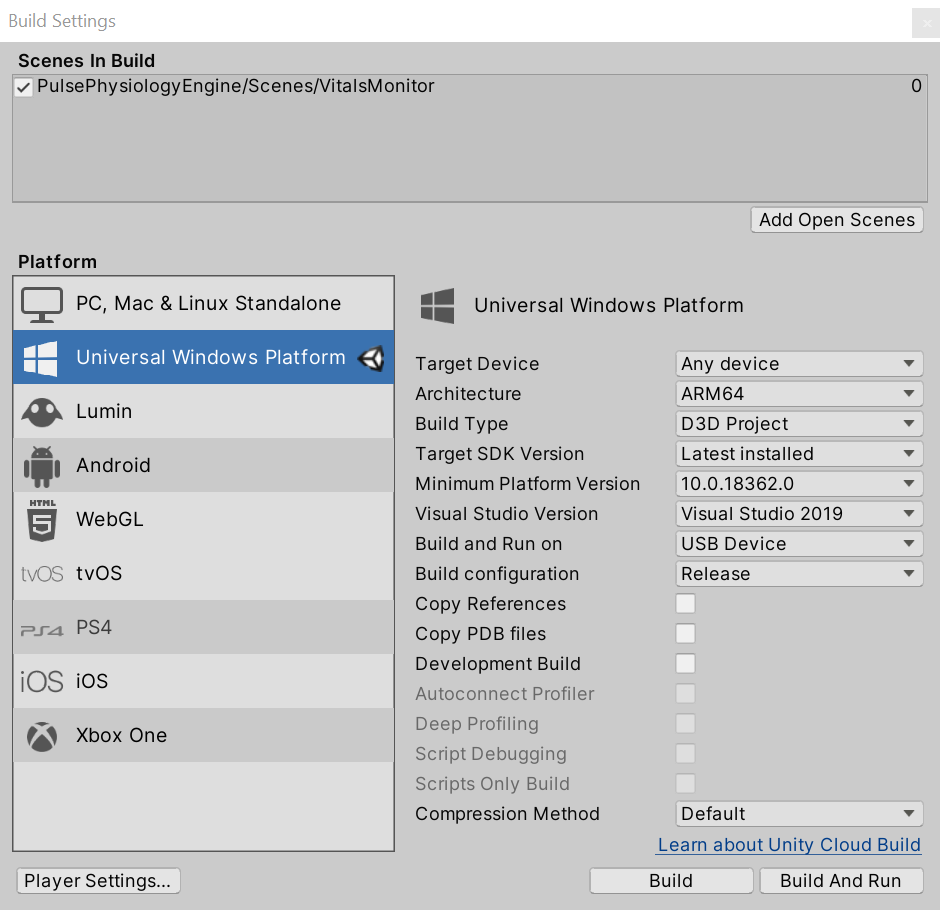
I followed [these instructions](https://circuitstream.com/blog/hololens-2-setup-guide/#:~:text=Follow%20these%20steps%20to%20configure,Unity%20project%20for%20HoloLens%202.&text=Open%20File%20%2D%20Build%20Settings%20and,change%20the%20Architecture%20to%20ARM64.) to configure my project for windows mixed reality support (note step 6)
I then build my the vitals monitor scene
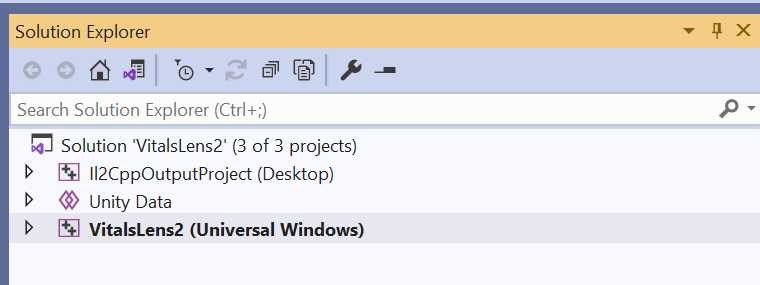
Open up my MSVC project which looks like this
I built an appx bundle folowing [thes instructions](https://docs.microsoft.com/en-us/windows/msix/app-installer/create-appinstallerfile-vs)
Then side loaded it following [these instrcutions](https://docs.microsoft.com/en-us/hololens/app-deploy-app-installer)
I ran it, and got the same issue you are seeing ☹
So, I looked at the generated unity log via the [Device Portal](https://docs.microsoft.com/en-us/windows/mixed-reality/develop/advanced-concepts/using-the-windows-device-portal)
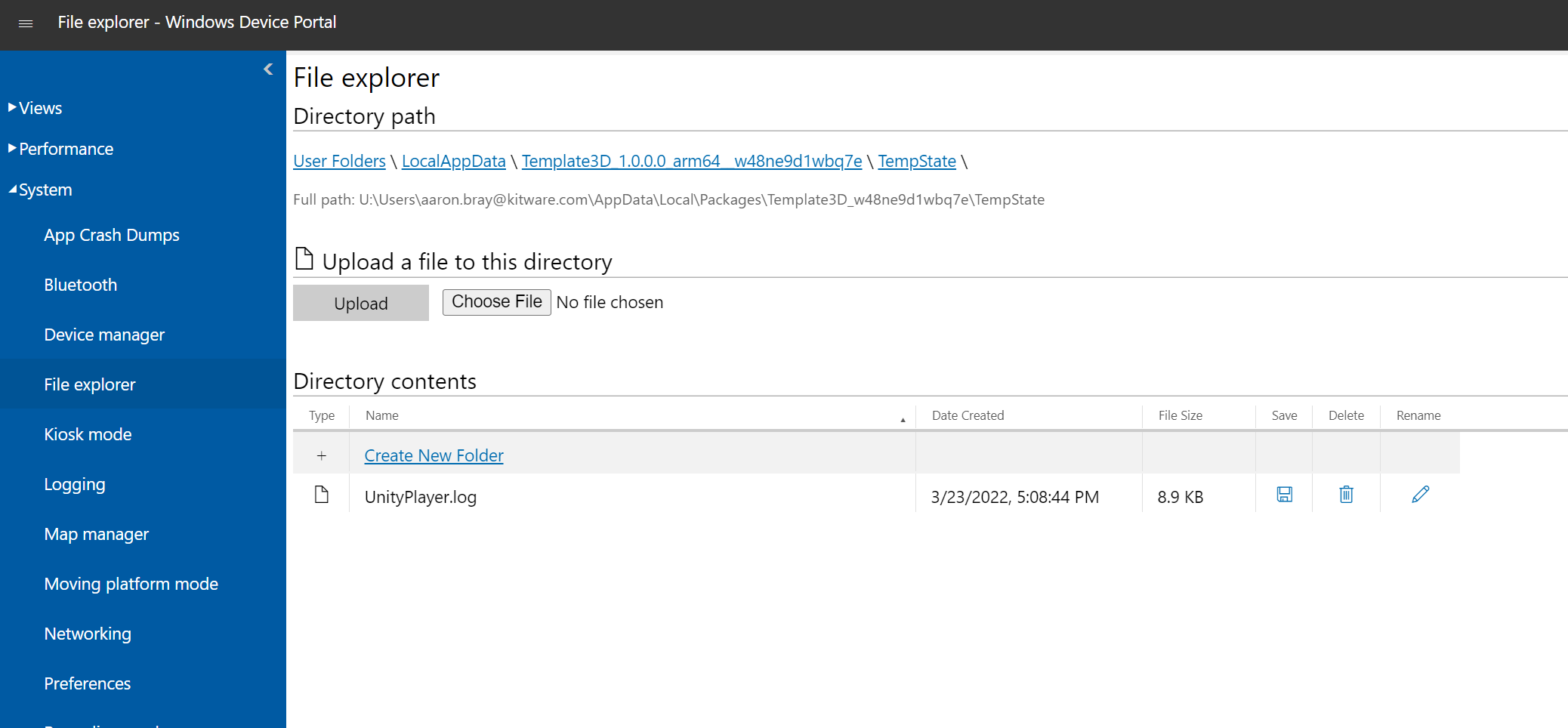
Note, pulse logs are here

The Unity.log had an error call stack complaining about reflection methods not being found
So refelction is getting stripped out of some of our dlls
To prevent this, you need to have a link.xml file in your project assests folder with this:
```auto
```
To test this, I ran the my unity debug build through MSVC to my hololens2 following [these instructions](https://docs.microsoft.com/en-us/windows/mixed-reality/develop/advanced-concepts/using-visual-studio?tabs=hl2#graphics-debugger-for-hololens-1st-gen)
And I got vitals numbers!
I built another appbundle again and sidloaded/installed it, and its working fine on my hololens2
Its pretty slow (\<10fps), but its also zoomed way in, so maybe its the large drawing canvas?
I am not sure…
Hopefully this gets you working on your lens