# Not able to use python bindings
**URL:** https://discourse.kitware.com/t/not-able-to-use-python-bindings/1495
**Category:** Pulse Physiology Engine
**Created:** [April 23, 2025, 5:36pm UTC](https://discourse.kitware.com/t/not-able-to-use-python-bindings/1495 "2025-04-23T17:36:37Z")
**Posts on this page:** 4
**Page:** 1
### Author:  [@Shivam\_Sharma](https://discourse.kitware.com/u/Shivam_Sharma)
#### Post date: [April 23, 2025, 5:36pm UTC](https://discourse.kitware.com/t/not-able-to-use-python-bindings/1495/1 "2025-04-23T17:36:37Z")
I tried following the steps listed on your site for python bindings install but still not able to access it.
I am having windows 11, latest Cmake, Python 3.10, and VS2022.
Here is the error log when i am trying to run HowTo\_AcuteStress.py :
ModuleNotFoundError: No module named ‘pulse’
it seems, something is missing ?
---
### Author:  [@abray](https://discourse.kitware.com/u/abray)
#### Post date: [April 23, 2025, 5:52pm UTC](https://discourse.kitware.com/t/not-able-to-use-python-bindings/1495/2 "2025-04-23T17:52:26Z")
Make sure you have the Pulse install/bin directory in your PYTHONPATH
Make sure you have a file named PyPulse.cp310-win\_amd64.pyd in your install/bin directory
---
### Author:  [@Shivam\_Sharma](https://discourse.kitware.com/u/Shivam_Sharma)
#### Post date: [May 16, 2025, 6:06pm UTC](https://discourse.kitware.com/t/not-able-to-use-python-bindings/1495/3 "2025-05-16T18:06:00Z")
I have done both of the things still unable to run Howto\_AcuteStress.py.
I have PyPulse.cp313-win\_amd64 in my bin folder and also added this dir to PYTHONPATH in Env Variables.
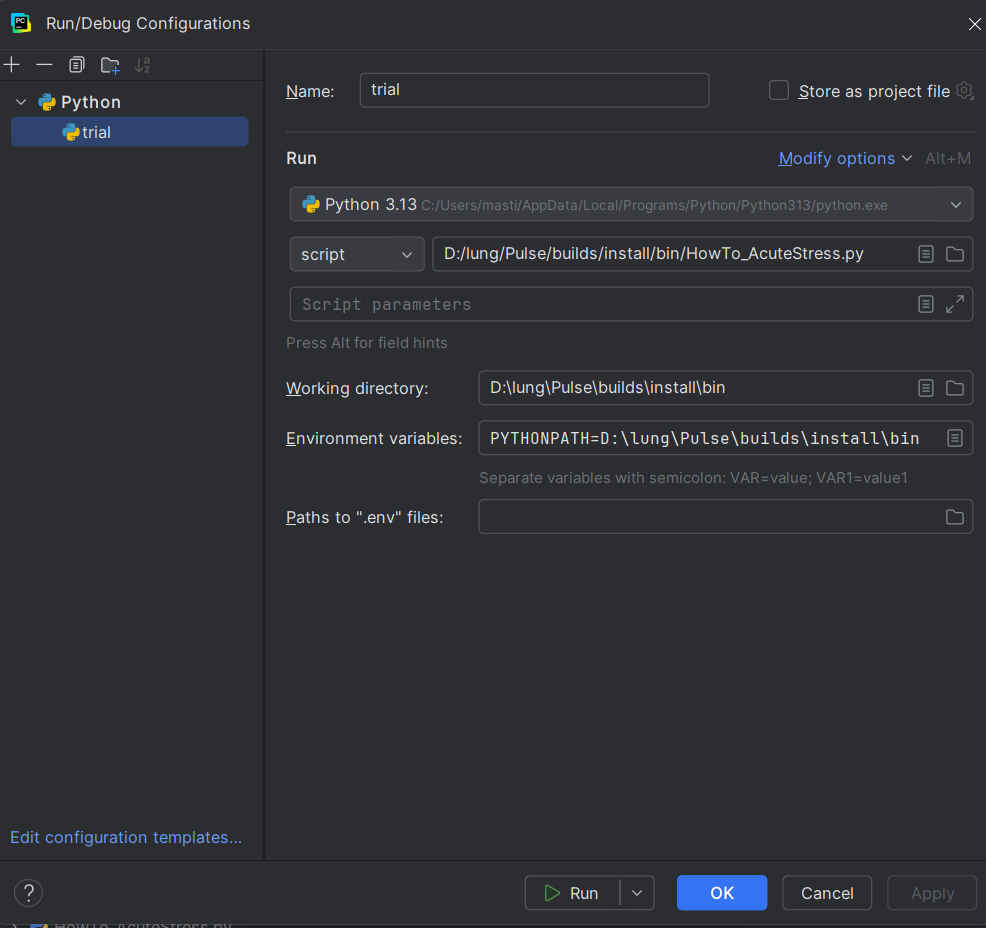
I am uploading image of Pycharm, I am following your listed steps but it is giving me errors.
Please help!
PS- Current Error:
C:\Users\masti\AppData\Local\Programs\Python\Python313\python.exe D:\lung\Pulse\builds\install\bin\HowTo\_AcuteStress.py
Traceback (most recent call last):
File “D:\lung\Pulse\builds\install\bin\HowTo\_AcuteStress.py”, line 4, in
from pulse.cdm.patient\_actions import SEAcuteStress
ModuleNotFoundError: No module named ‘pulse.cdm.patient\_actions’
---
### Author:  [@abray](https://discourse.kitware.com/u/abray)
#### Post date: [May 16, 2025, 6:34pm UTC](https://discourse.kitware.com/t/not-able-to-use-python-bindings/1495/4 "2025-05-16T18:34:00Z")
See if these instructions on setting up PyCharm helps
[https://gitlab.kitware.com/physiology/engine/-/wikis/Using%20Pycharm](https://gitlab.kitware.com/physiology/engine/-/wikis/Using%20Pycharm)
The project should be the pulse\_source/src/python folder, not the install folder
And you need to edit the pythonpath of the python interpreter, not via Environment variables