# SMTK and Qt 5.12.0
**URL:** https://discourse.kitware.com/t/smtk-and-qt-5-12-0/198
**Category:** Build & Install
**Created:** [December 8, 2018, 9:06pm UTC](https://discourse.kitware.com/t/smtk-and-qt-5-12-0/198 "2018-12-08T21:06:11Z")
**Posts on this page:** 10
**Page:** 1
### Author:  [@dcthomp](https://discourse.kitware.com/u/dcthomp)
#### Post date: [December 8, 2018, 9:06pm UTC](https://discourse.kitware.com/t/smtk-and-qt-5-12-0/198/1 "2018-12-08T21:06:11Z")
I have been able to build CMB+SMTK linked to Qt 5.12 on macos 10.14 (mojave) using the Qt binaries from homebrew (i.e., a bottled build). I have not done extensive testing.
Dark mode seems to work.
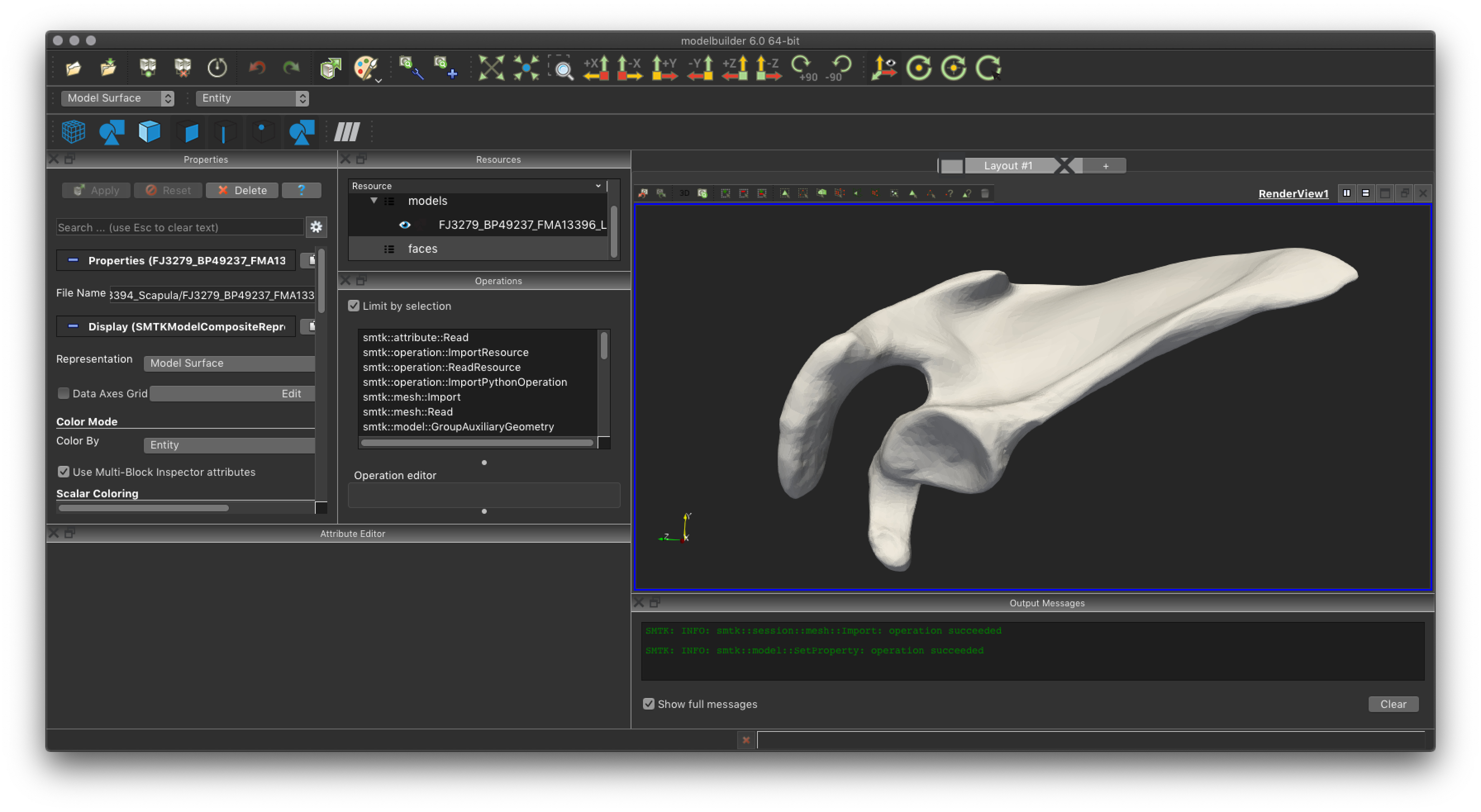
However, I did have to mark modelbuilder to run in “low resolution” mode, using Finder’s information dialog:

in order to avoid a rendering problem:

Note that the quarter-sized render area problem is independent of dark mode. However, this rendering issue only occurs when running the application in a debugger started in a terminal. Running the application by double-clicking never seems to suffer from the problem.
@cory.quammen This is the same rendering issue I have been having with ParaView (and is exhibited by the ParaView build in the modelbuilder superbuild). So at least I have a workaround (run in low resolution mode or start the app using Finder).
---
### Author:  [@tj.corona](https://discourse.kitware.com/u/tj.corona)
#### Post date: [December 10, 2018, 8:36pm UTC](https://discourse.kitware.com/t/smtk-and-qt-5-12-0/198/2 "2018-12-10T20:36:37Z")
This looks great!
---
### Author:  [@tj.corona](https://discourse.kitware.com/u/tj.corona)
#### Post date: [December 10, 2018, 11:04pm UTC](https://discourse.kitware.com/t/smtk-and-qt-5-12-0/198/3 "2018-12-10T23:04:51Z")
@dcthomp I have just built using Qt 5.12.0 from their installer. In my build, both ParaView and ModelBuilder have no GUI elements (despite their being enabled in the `View` menu). Any suggestions?

---
### Author:  [@dcthomp](https://discourse.kitware.com/u/dcthomp)
#### Post date: [December 10, 2018, 11:18pm UTC](https://discourse.kitware.com/t/smtk-and-qt-5-12-0/198/4 "2018-12-10T23:18:47Z")
> [@tj.corona](#):
>
> Any suggestions?
Have you verified that Qt applications bundled with your Qt build run properly? For example, can you run Qt Designer.app?
---
### Author:  [@tj.corona](https://discourse.kitware.com/u/tj.corona)
#### Post date: [December 10, 2018, 11:23pm UTC](https://discourse.kitware.com/t/smtk-and-qt-5-12-0/198/5 "2018-12-10T23:23:41Z")
> can you run Qt Designer.app?
Yup, it runs just fine. @Bob_Obara Have you given this a shot yet? Maybe I am just lucky.
---
### Author:  [@tj.corona](https://discourse.kitware.com/u/tj.corona)
#### Post date: [December 11, 2018, 12:47am UTC](https://discourse.kitware.com/t/smtk-and-qt-5-12-0/198/6 "2018-12-11T00:47:16Z")
Hmm, ModelBuilder renders just fine when I build it outside of the superbuild. I’ll bet there’s something funny with my superbuild’s configuration. Sorry for the noise!
---
### Author:  [@Bob\_Obara](https://discourse.kitware.com/u/Bob_Obara)
#### Post date: [December 11, 2018, 3:00am UTC](https://discourse.kitware.com/t/smtk-and-qt-5-12-0/198/7 "2018-12-11T03:00:06Z")
Sorry Guys,
I’ve been running around getting my presentation ready for tomorrow’s trip - will try to get to it when I get back.
Bob
Robert M. O’Bara, MEng.
Assistant Director of Scientific Computing
Kitware Inc.
28 Corporate Drive
Suite 101
Clifton Park, NY 12065
Phone: (518) 881- 4931
---
### Author:  [@Haocheng\_Liu](https://discourse.kitware.com/u/Haocheng_Liu)
#### Post date: [December 11, 2018, 4:14pm UTC](https://discourse.kitware.com/t/smtk-and-qt-5-12-0/198/8 "2018-12-11T16:14:34Z")
Here is what I got from running modelbuilder in superbuild/cmb/build with Qt5.12 on the new MBP2018+mojave:
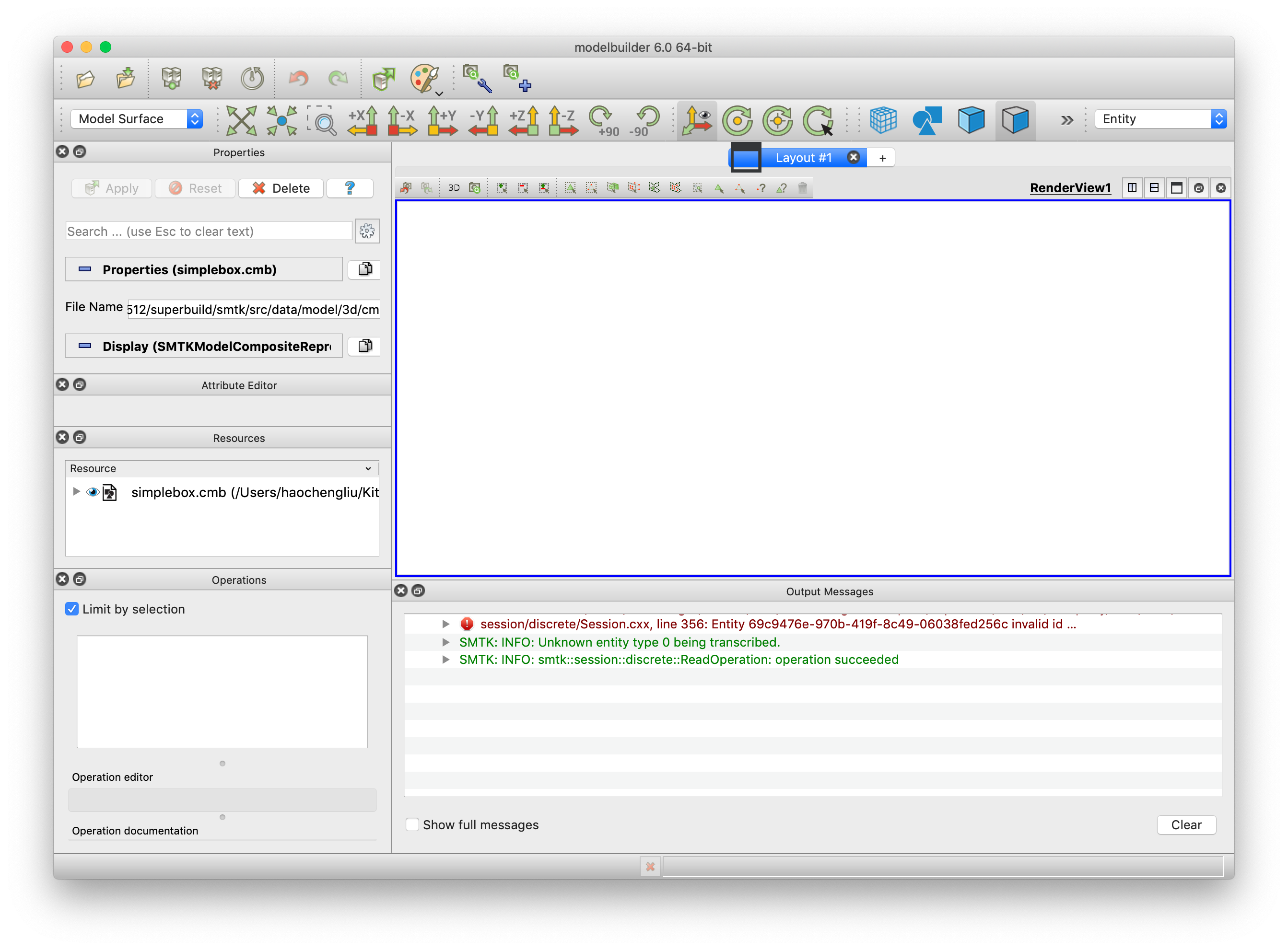
The good news is that I have the resource panel now which I don’t have when building against qt5.9. Still the render view is funky here.
Low resolution mode is not helping here.
---
### Author:  [@cory.quammen](https://discourse.kitware.com/u/cory.quammen)
#### Post date: [December 11, 2018, 7:04pm UTC](https://discourse.kitware.com/t/smtk-and-qt-5-12-0/198/9 "2018-12-11T19:04:52Z")
@dcthomp Do you happen to have the environment variable `DASHBOARD_TEST_FROM_CTEST` set in your terminal? That tells the widget to run in low-resolution mode.
FYI I run ParaView from Terminal.app all the time without seeing the quarter-size rendering you are seeing.
---
### Author:  [@dcthomp](https://discourse.kitware.com/u/dcthomp)
#### Post date: [December 11, 2018, 7:33pm UTC](https://discourse.kitware.com/t/smtk-and-qt-5-12-0/198/10 "2018-12-11T19:33:50Z")
> [@cory.quammen](#):
>
> Do you happen to have the environment variable `DASHBOARD_TEST_FROM_CTEST` set in your terminal? That tells the widget to run in low-resolution mode.
Yup, that was it! It also does other Qt things that I enjoyed (like not popping prompts or adding menu animations), but I would rather have a full-size render window.