# Using Pulse Unity Asset for UWP Apps with IL2CPP
**URL:** https://discourse.kitware.com/t/using-pulse-unity-asset-for-uwp-apps-with-il2cpp/292
**Category:** Pulse Physiology Engine
**Created:** [July 23, 2019, 6:09pm UTC](https://discourse.kitware.com/t/using-pulse-unity-asset-for-uwp-apps-with-il2cpp/292 "2019-07-23T18:09:53Z")
**Posts on this page:** 4
**Page:** 2
### Author:  [@sahilm](https://discourse.kitware.com/u/sahilm)
#### Post date: [July 24, 2019, 9:36pm UTC](https://discourse.kitware.com/t/using-pulse-unity-asset-for-uwp-apps-with-il2cpp/292/21 "2019-07-24T21:36:29Z")
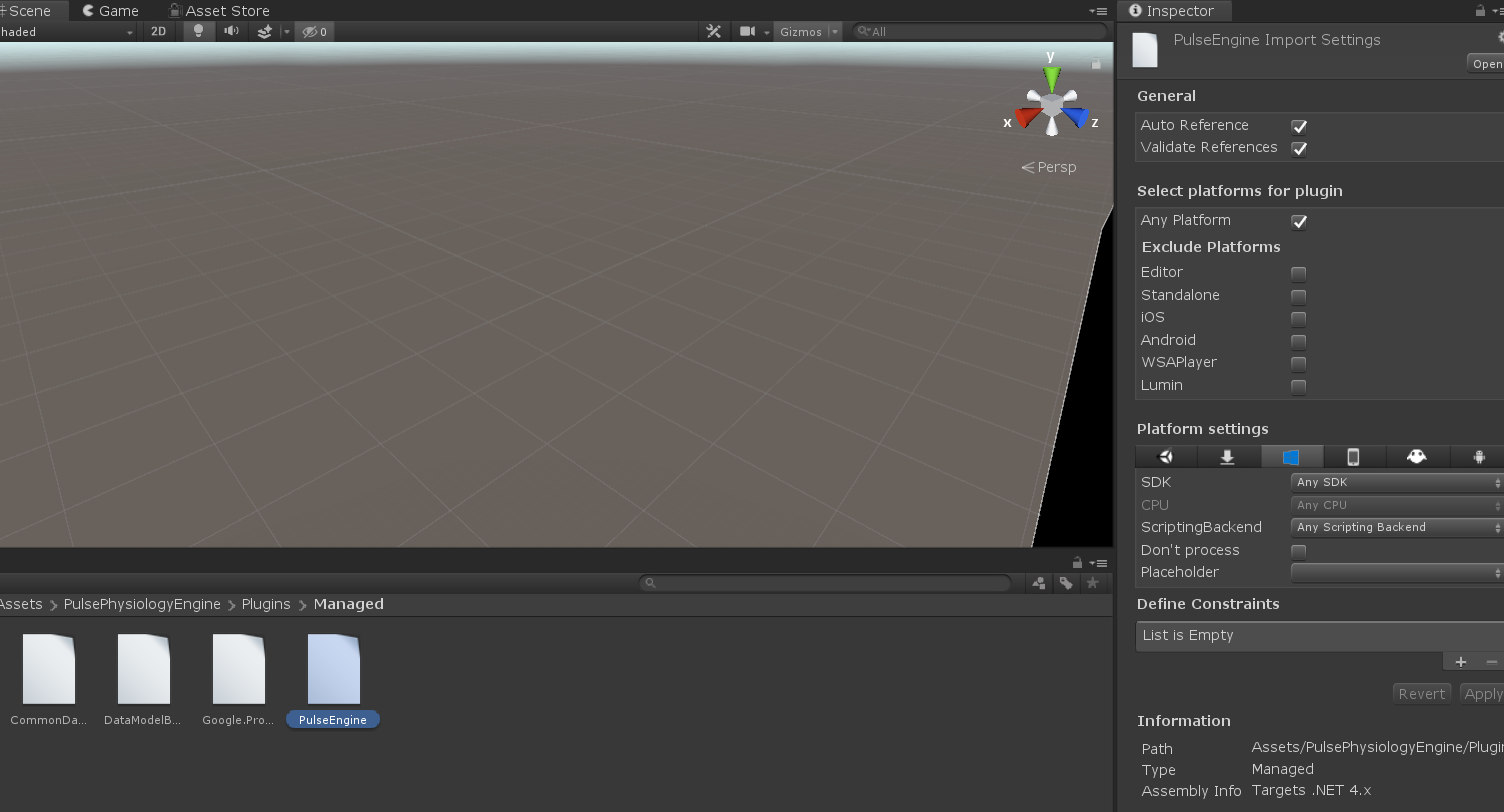
Maybe the problem is that the other DLLs are trying to call on the 64-bit version of PulseC. When I looked at the DLLs in the Managed folder, it seems that all of them have “Any CPU” selected and the dropdown is greyed out, so I can’t change it. Perhaps I need 32-bit DLLs for each of these as well?
---
### Author:  [@abray](https://discourse.kitware.com/u/abray)
#### Post date: [July 24, 2019, 9:40pm UTC](https://discourse.kitware.com/t/using-pulse-unity-asset-for-uwp-apps-with-il2cpp/292/22 "2019-07-24T21:40:23Z")
Ok, let me see if I can build 32 bit C# .NET libraries
---
### Author:  [@abray](https://discourse.kitware.com/u/abray)
#### Post date: [July 24, 2019, 10:03pm UTC](https://discourse.kitware.com/t/using-pulse-unity-asset-for-uwp-apps-with-il2cpp/292/23 "2019-07-24T22:03:03Z")
I added a pulse\_2\_2\_0\_rc1\_win32\_net.zip file in the usual spot
Those are the managed dlls build for an x86 target platform
[https://data.kitware.com/#collection/59849c788d777f7d33e9c084/folder/5c59a1018d777f072b2c79e6](https://data.kitware.com/#collection/59849c788d777f7d33e9c084/folder/5c59a1018d777f072b2c79e6)
---
### Author:  [@alexis.girault](https://discourse.kitware.com/u/alexis.girault)
#### Post date: [July 29, 2019, 1:59pm UTC](https://discourse.kitware.com/t/using-pulse-unity-asset-for-uwp-apps-with-il2cpp/292/24 "2019-07-29T13:59:56Z")
> [@abray](#):
>
> Usually Native DLL need to go under a Native folder for unity to know where they are.
> Has that changed?
FYI: This was just the convention we chose to organize the binaries of our dependencies. The only requirements have to have those libraries in a [`Plugins` folder](https://docs.unity3d.com/Manual/SpecialFolders.html) at the top level.
[Previous page](https://discourse.kitware.com/t/using-pulse-unity-asset-for-uwp-apps-with-il2cpp/292.md?page=1)